Automatically Create STL Files with CATIA Macro
This CATIA macro automatically creates STL files and saves them in the same folder as the origin file. Here are the steps the program follows:
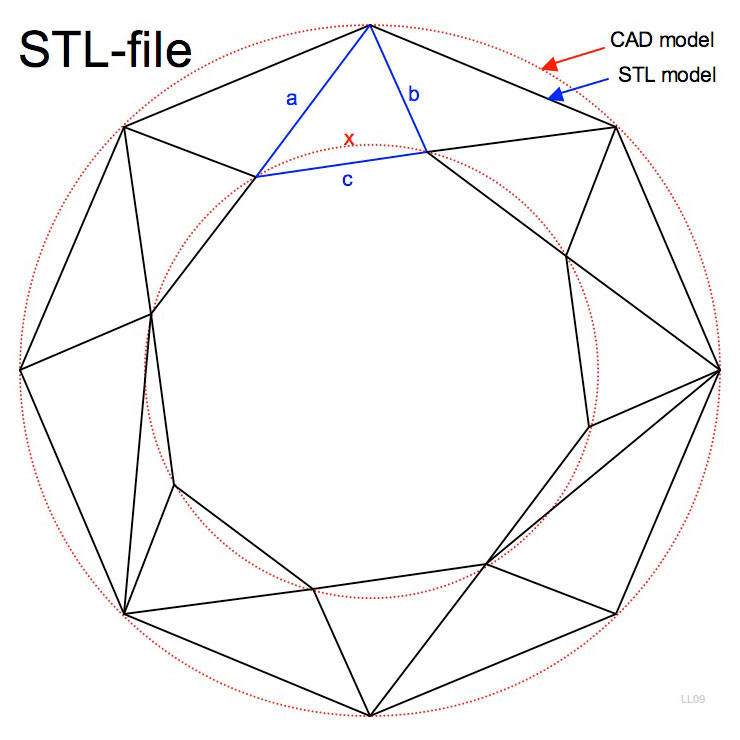
1) Exports STEP file
2) Opens STEP file
3) Deletes Geometrical Set
4) Exports Step to STL
5) Closes STEP file
6) Deletes STEP file
7) Closes CATPart
Sub CATMain()

' Loop as long as there is an open document

' Active document must be a CATPart of CATProduct

On Error Resume Next

Dim fullname As String

Dim oDoc As Document

Dim oSTPDoc As Document

Dim oPartDoc As PartDocument

Dim oSel As Selection

Dim oPart As Part

Set oDoc = CATIA.ActiveDocument

Do While CATIA.Documents.Count > 0

fullname = oDoc.fullname

'remove extension .CATPart or .CATProduct

If Right(fullname, 8) = ".CATPart" Then

   fullname = Left(fullname, Len(fullname) - 8)

   ElseIf Right(fullname, 11) = ".CATProduct" Then


   Else: MsgBox "No valid Part or Product active"

     Exit Sub

End If

'Export STEP file – change the CATPart or CATproduct to STEP

    CATIA.ActiveDocument.ExportData fullname & ".stp", "stp"

'Open STEP file

Set oSTPDoc = CATIA.Documents.Open(fullname & ".stp")

oSTPDoc.Activate

'Delete Geometrical Set

Set oSel = oSTPDoc.Selection

oSel.Clear


Set oPartDoc = CATIA.ActiveDocument

Set oPart = oPartDoc.Part

oSel.Add oPart.HybridBodies.Item("Geometrical Set.1")

oSel.Delete


'Save as STL file

    CATIA.ActiveDocument.ExportData fullname & ".stl", "stl"

'Close STEP file

    CATIA.ActiveDocument.Close

'Delete STEP file

    CATIA.FileSystem.DeleteFile (fullname & ".stp")

'Close CATPart

    CATIA.ActiveDocument.Close


Set oDoc = CATIA.ActiveDocument

Loop

 MsgBox "Program Completed!", , "STL Export Utility"

End Sub
There you have it! What is STL file used for? This file format is supported by many other software packages, such as SolidWorks. It’s also commonly used for 3D printing, and is the standard for various rapid prototyping processes and computer-aided manufacturing. STL files describe only the surface geometry of a three-dimensional object without any representation of color, texture or other common CAD model attributes. STL has several after-the-fact backronyms such as “Standard Triangle Language” and “Standard Tessellation Language.”
Please let me know if you find this code useful!


Do you have a macro which can export STL files for individual CATParts within an Assembly CATProduct, but in their assembly position CATProduct Axis System as opposed to the local axis of the individual CATPart that it was designed in?